If you have been in the Training space for any length of time, the name Open Sesame may be a familiar one. Open Sesame is a leading subscription E-Learning content distribution network with over 20,000 Courses available for members.
Your Tortal Training Learning Center can integrate seamlessly with your Open Sesame membership, allowing your to access and import any of your subscription content quickly and easily. The guide below outlines the setups to setup and import Open Sesame content into your Tortal Learning Objects.
How to Setup your Open Sesame Account in your Tortal Learning Center.
Step 1 - Click the "Launch Open Sesame" button
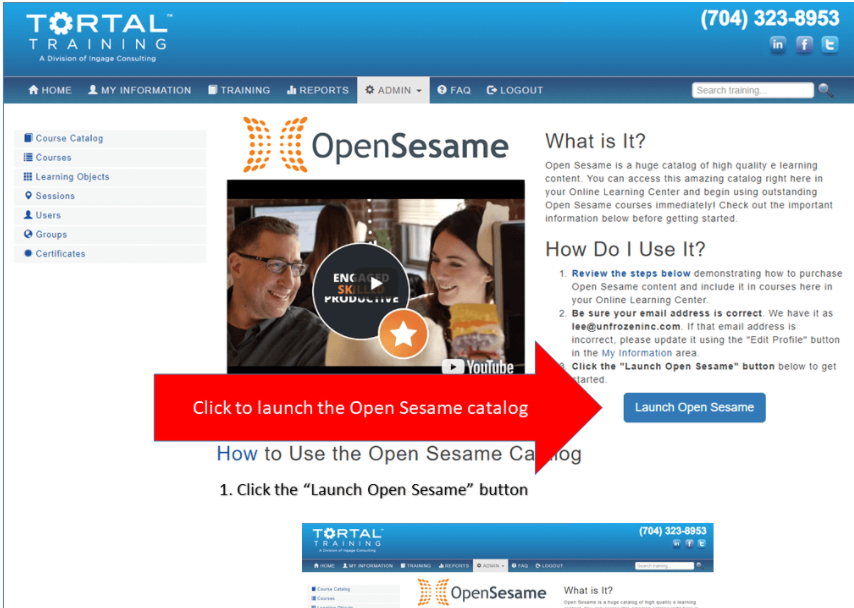
Step 2 - Review the terms and conditions, agree, and confirm.
Step 3 - Choose a shopping option - this example uses "A La Carte" purchases
Step 4 - Use the "Courses" tab to browse the complete Open Sesame catalog, categorized by topic. Select a course by clicking the course thumbnail.
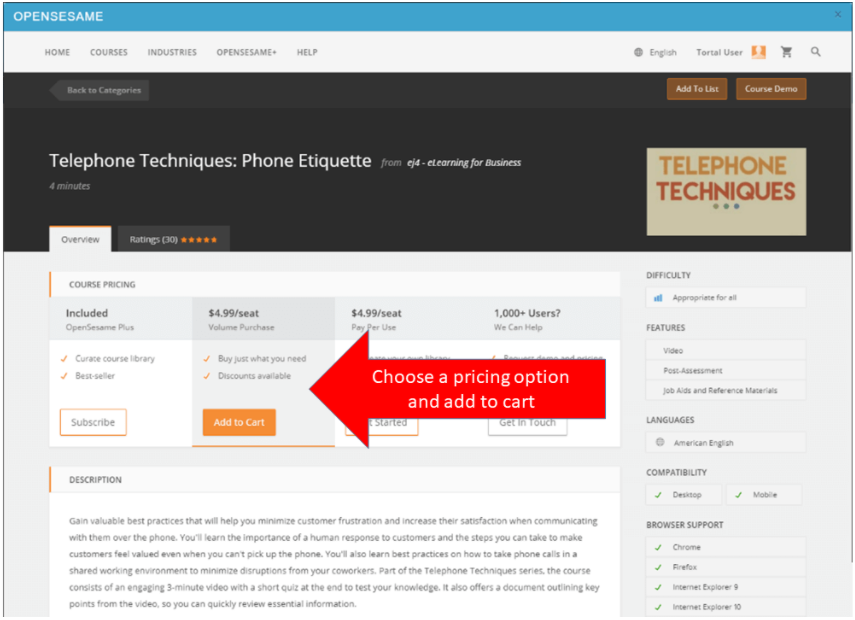
Step 5 - Choose a pricing option - this example uses the "Volume Purchase" option
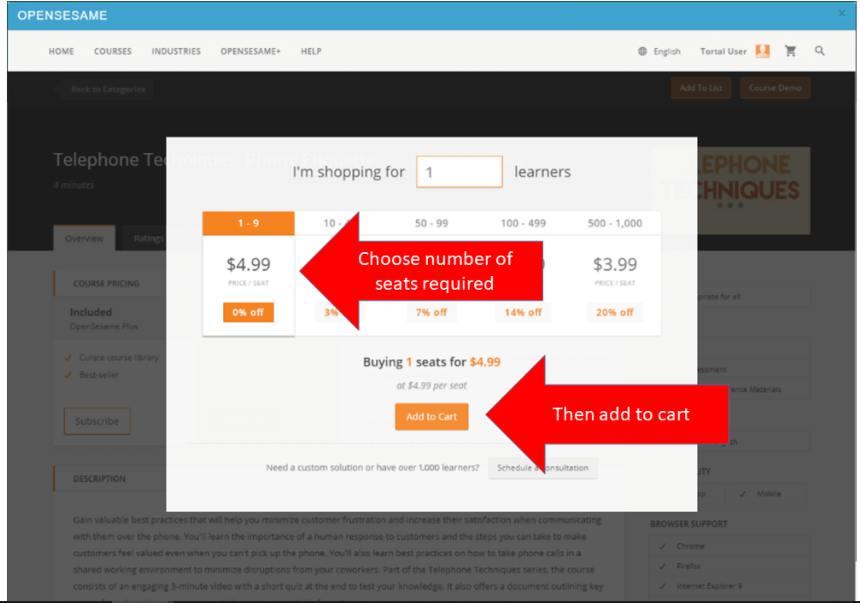
Step 6 - Choose the number of seats required and click "Add to Cart" NOTE: a "seat" is required for each learner enrollment in the course.
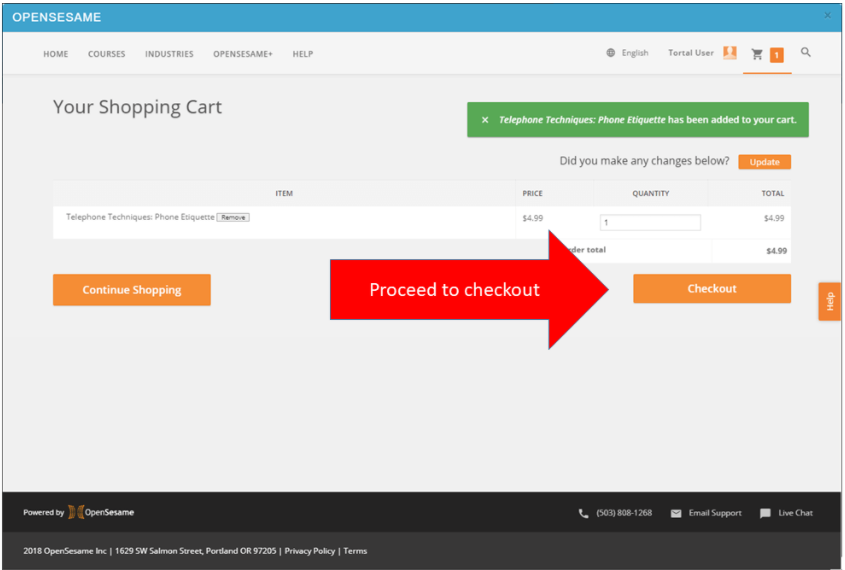
Step 7 - Click the "Checkout" button to proceed to checkout
Step 8 - Enter payment details and click "Complete Purchase"
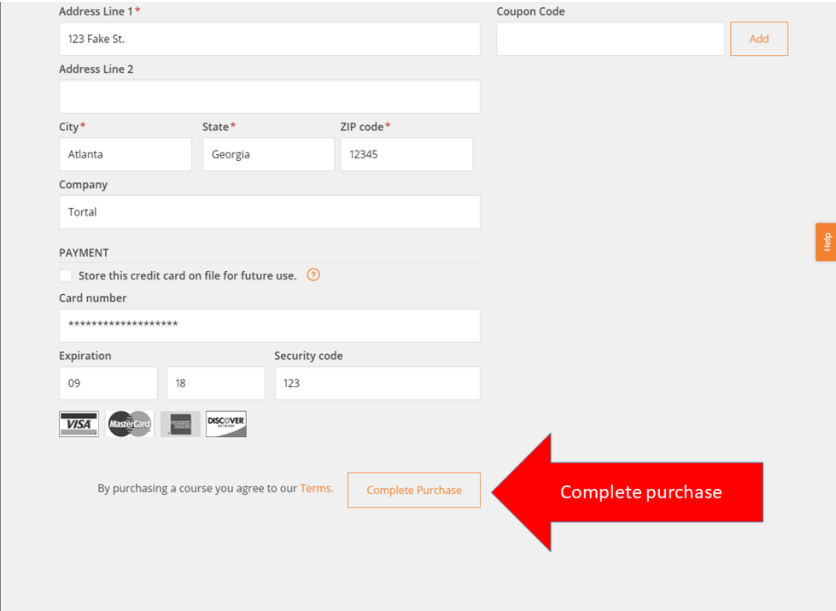
Step 9 - Click the "Send to LMS" button to move the newly-purchased course into your Tortal Online Learning Center (LMS)
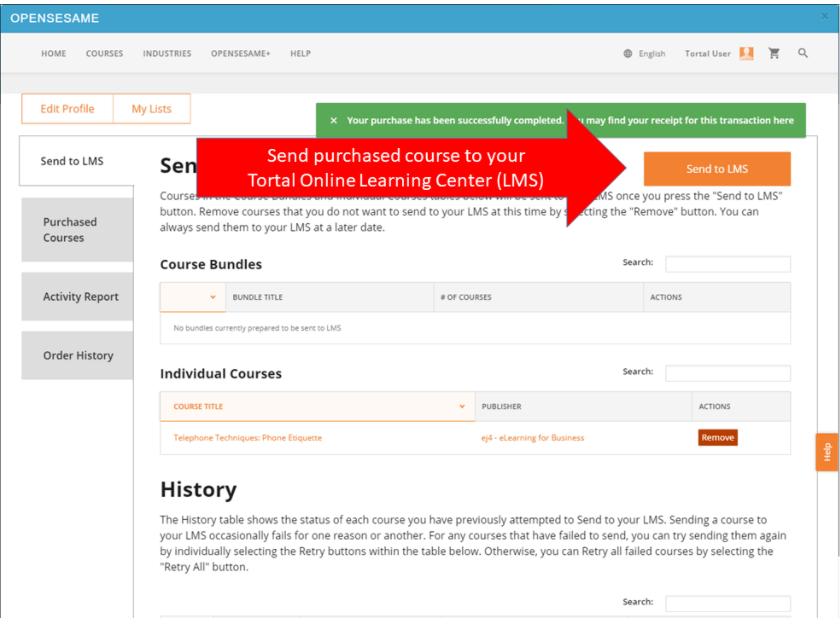
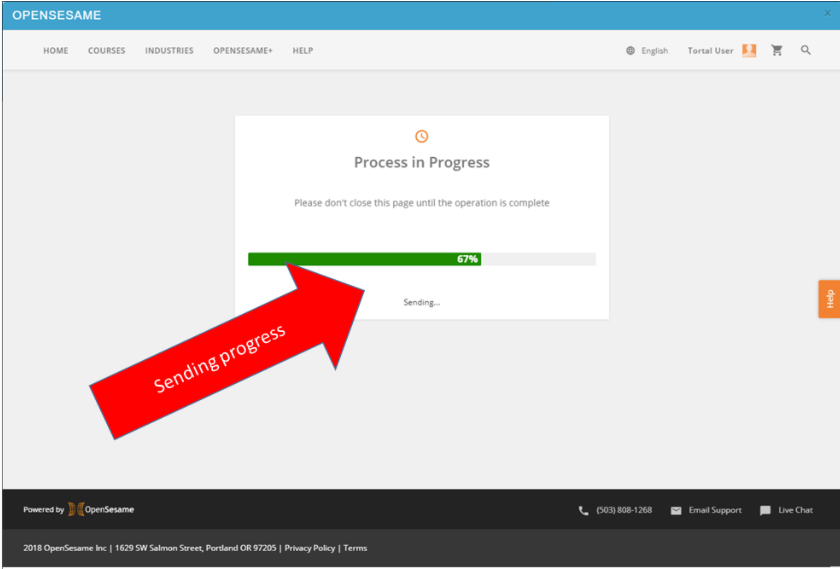
Step 10 - Transfer process is displayed
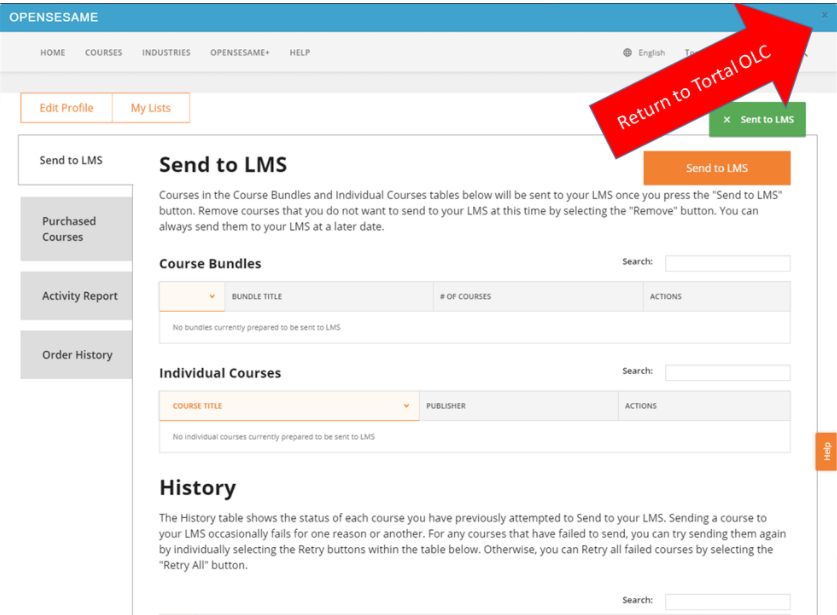
Step 11 - With transfer complete, click the "x" icon in the upper right corner of the Open Sesame window to close Open Sesame and return to the Tortal Online Learning Center
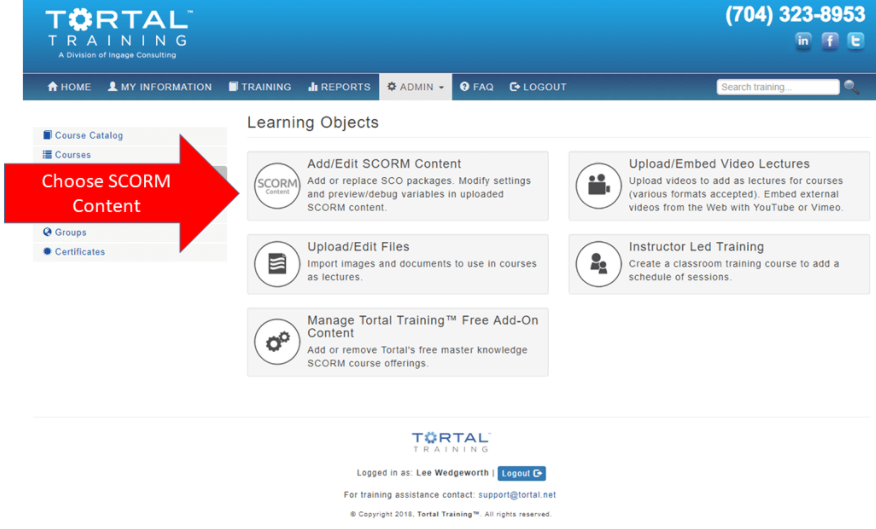
Step 12 - Visit the SCORM Content area of the Online Learning Center to access content purchased from Open Sesame
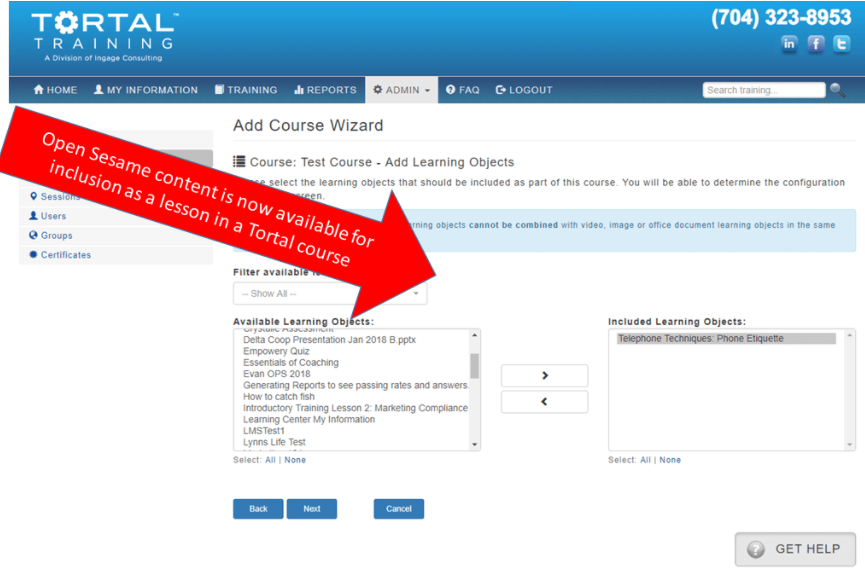
Step 13 - Open Sesame content is now available for inclusion in courses, visit the Knowledge Base article: "How to Create/Edit a Course" for more information on creating courses
Further Support for Open Sesame can be had by reaching out to their service and documentation resources.
OpenSesame | eLearning Solution - OpenSesame
***Tortal will not support or be responsible for managing your Open Sesame interactions, membership & payment records or user data. ***
For more information about topics related to your Tortal LMS and Open Sesame please take a look at the following articles.
- Learning Objects: SCORM Lesson Options Explained.
- Troubleshooting SCORM Learning Object Settings
- Learning Objects: SCORM Lesson Options Explained.